Fast scan
2.79 million files and 404 thousand folders in 44 seconds on a cold cache - and a couple of seconds on the second pass. Measured on a 1.8 TB system drive.
 CleanMyWin
Русский
Download
CleanMyWin
Русский
Download
Windows 10 and 11
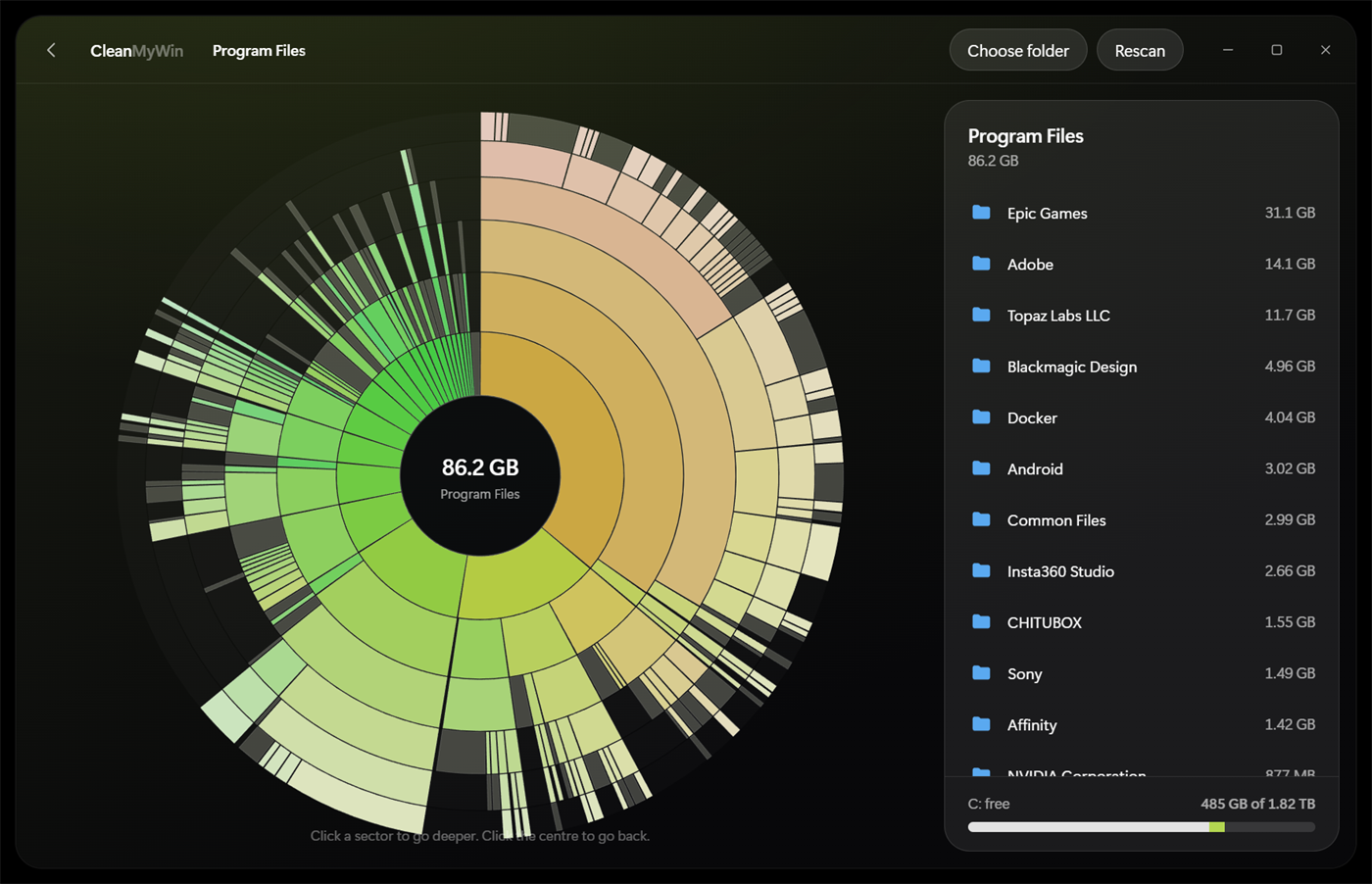
CleanMyWin scans a drive in seconds and draws it as rings: every sector is a folder or a file, sized by how much space it takes. Found the junk - send it to the Recycle Bin without leaving the app.
24 hours of full access. No account, no card.
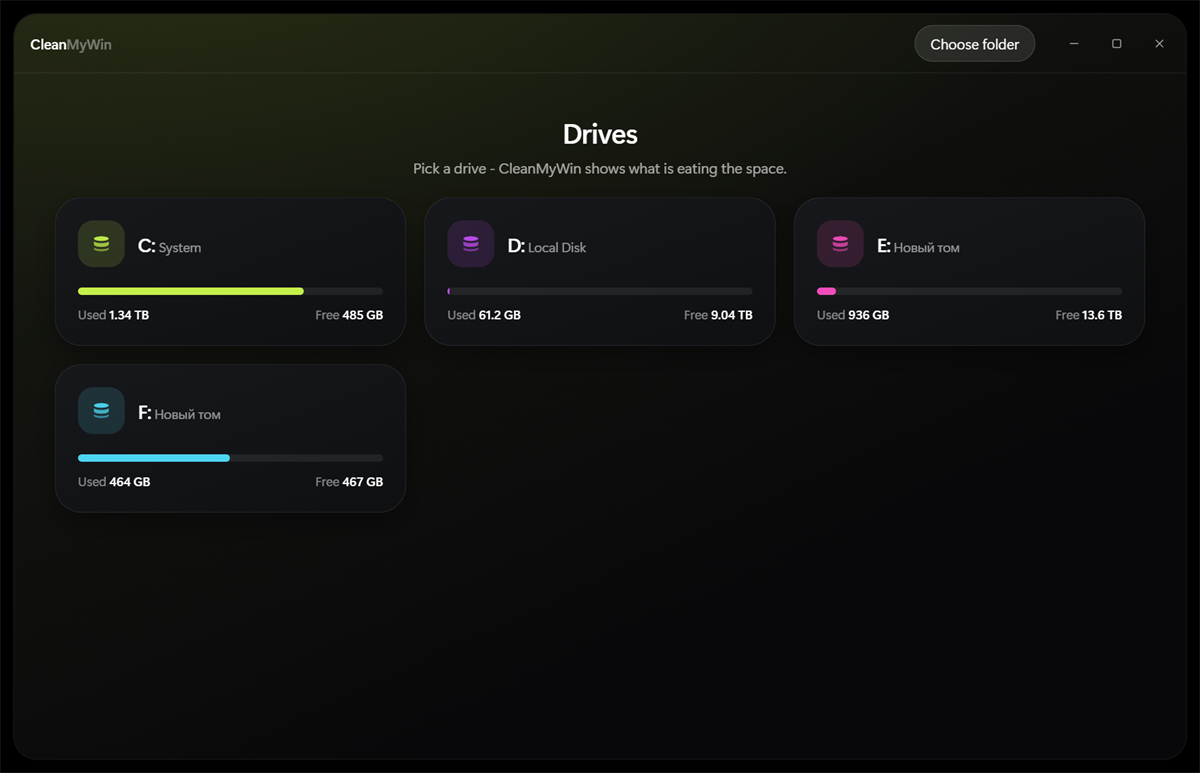
Every volume up front - how much is used, how much is left.
Each sector is a folder or a file. Click to go deeper, click the centre to come back.
Deletion goes to the Recycle Bin, so a wrong click is always reversible.
2.79 million files and 404 thousand folders in 44 seconds on a cold cache - and a couple of seconds on the second pass. Measured on a 1.8 TB system drive.
Six levels of nesting at once, the angle of a sector equals the size of the folder. Hover shows its share of the current level.
Video, music, photos, archives and installers carry their own icons, so the heavy stuff is obvious.
Works with long paths that Explorer itself refuses to remove. A counter shows how much you freed this session.
Internal, external and removable drives. Each gets its own colour so you never mix them up.
3 MB, no background service, no ads, no telemetry. Your scan results never leave the computer.
Honest table. CleanMyWin is not the fastest scanner around and does not pretend to be - it is the one you can read without a manual.
| Platform | Visual model | Speed | Price | |
|---|---|---|---|---|
| CleanMyWin | Windows 10, 11 | Sunburst rings | Fast, no admin rights | $9.99 once |
| DaisyDisk | macOS only | Sunburst rings | Fast | Paid |
| CleanMyMac (Space Lens) | macOS only | Bubbles | Fast | Subscription |
| WizTree | Windows | Treemap + table | Fastest, reads the MFT, needs admin | Free for personal use |
| WinDirStat | Windows | Treemap | Slow on big drives | Free |
| TreeSize Free | Windows | Table, treemap in Pro | Medium | Free / paid Pro |
| SpaceSniffer | Windows | Treemap | Medium | Free |
Short version: on macOS people buy DaisyDisk because a ring map is instantly readable. On Windows that readability was missing - treemaps of coloured squares tell you a lot only once someone teaches you to read them. CleanMyWin brings the ring map to Windows and adds deletion, so you do not have to hunt the folder down in Explorer afterwards.
Official sites of the tools compared: DaisyDisk, WizTree, WinDirStat, TreeSize, SpaceSniffer, Microsoft: Storage Sense
Lifetime licence
$9.99 once
About the price of two coffees - except this one keeps freeing your disk for years.
Trial
$0 24 hours
Installer is 1.2 MB and needs no administrator rights.
DaisyDisk itself is macOS only and there is no Windows build. CleanMyWin was written to fill that hole: the same sunburst map, the same drill-down by click, plus deletion to the Recycle Bin.
It covers the part people actually use - Space Lens, the visual map of a drive. CleanMyWin does not clean registries and does not promise to speed up your PC; it shows what occupies the disk and removes what you choose.
From the first launch, tied to the computer rather than to the program folder. Reinstalling the app does not extend the trial.
No. The key is verified on your machine, so the program runs offline - even if this site is down.
They go to the Recycle Bin and can be restored from there. Nothing is deleted permanently.
Scan results - never, they stay on the computer. The only network call is a one-time anonymous ping at first launch (a random install id, no files, no paths) so we can count installs. Offline it is simply skipped and the app works as usual.
Write to us and we will move the key to the new machine.
One scan takes a minute. The first 24 hours are free.
Download for Windows